Recommended
Yearly
€59.99 a year
7 days free, then €59.99 a year (€5.00 a month).
A day planner for solo founders
Coach turns one plain sentence into a realistic day for solo founders, then stays kind to you when the day doesn’t go as planned, all without an account or a server.
Why Coach
Plan what fits schedules only what fits around your real hours, your meetings and your breaks, and tells you what won’t fit before the day does. Not a twelve-hour list of shoulds.
No red missed states, no streaks that reset to zero, no overdue pile. When a block slips, Rescue proposes a new plan you approve, and you can always undo. Progress shows as consistency dots and your real pace, never a verdict.
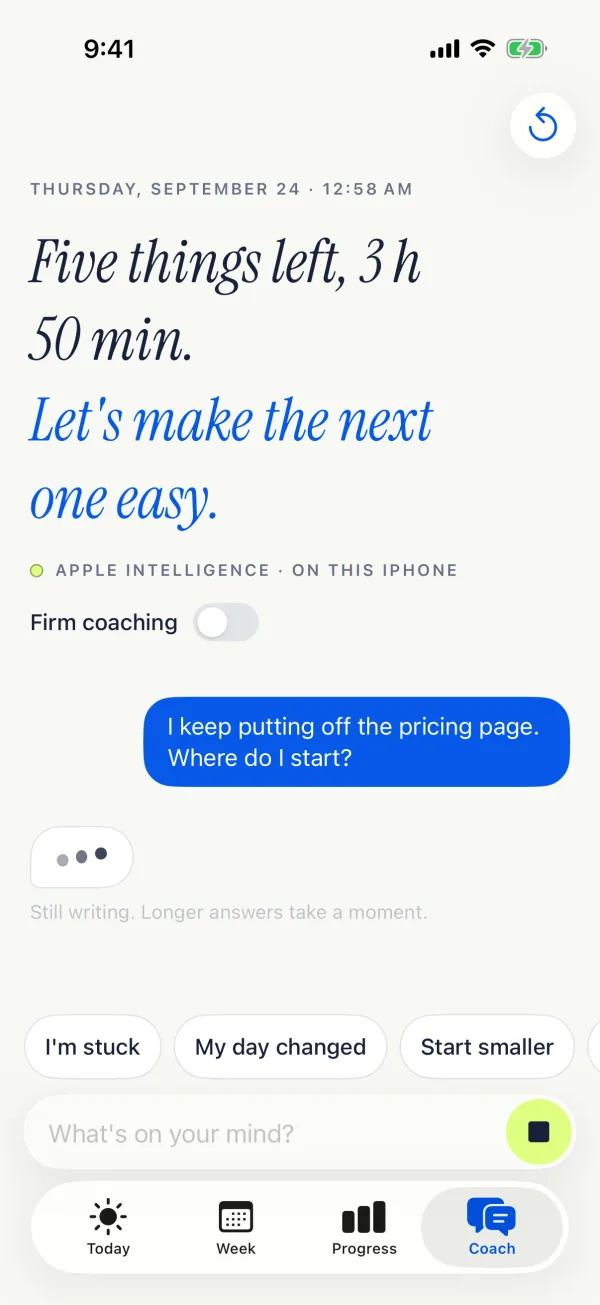
No account, no sign-up, no server. Your plan lives on your devices, and the AI coach runs on your iPhone, so the thing that knows the most about your day is the thing least able to leak it.
How it works
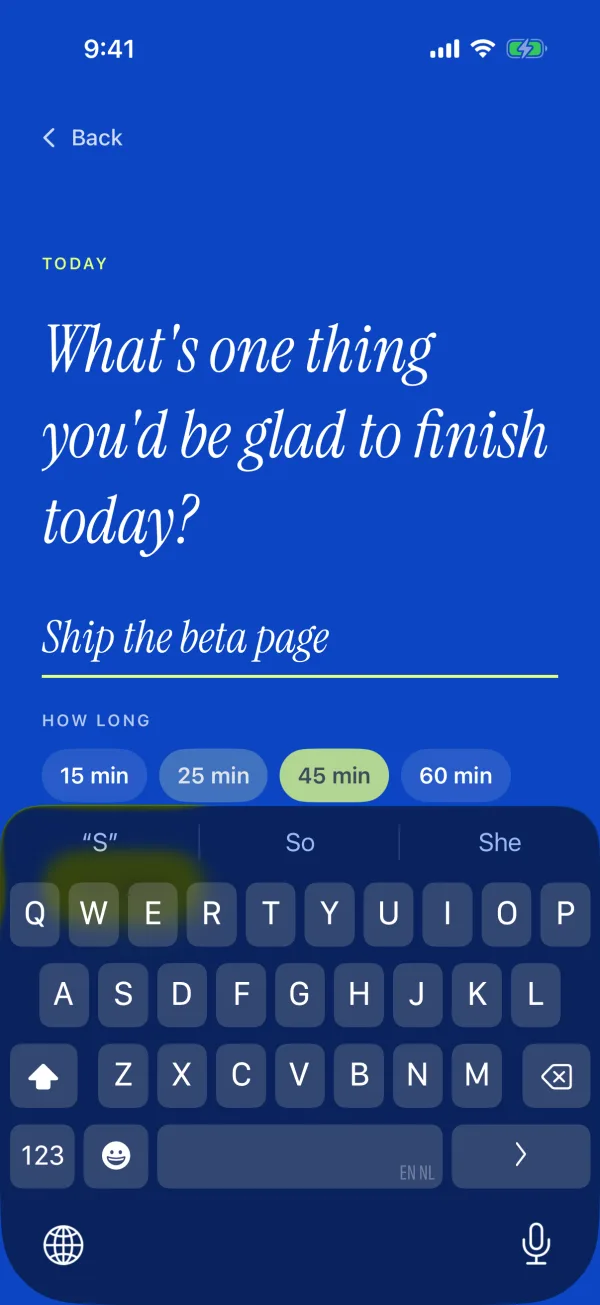
Tell Coach what you’d be glad to finish, in your own words. Add a time and a length, like “at 2pm for 30 min”, and Coach reads them for you.
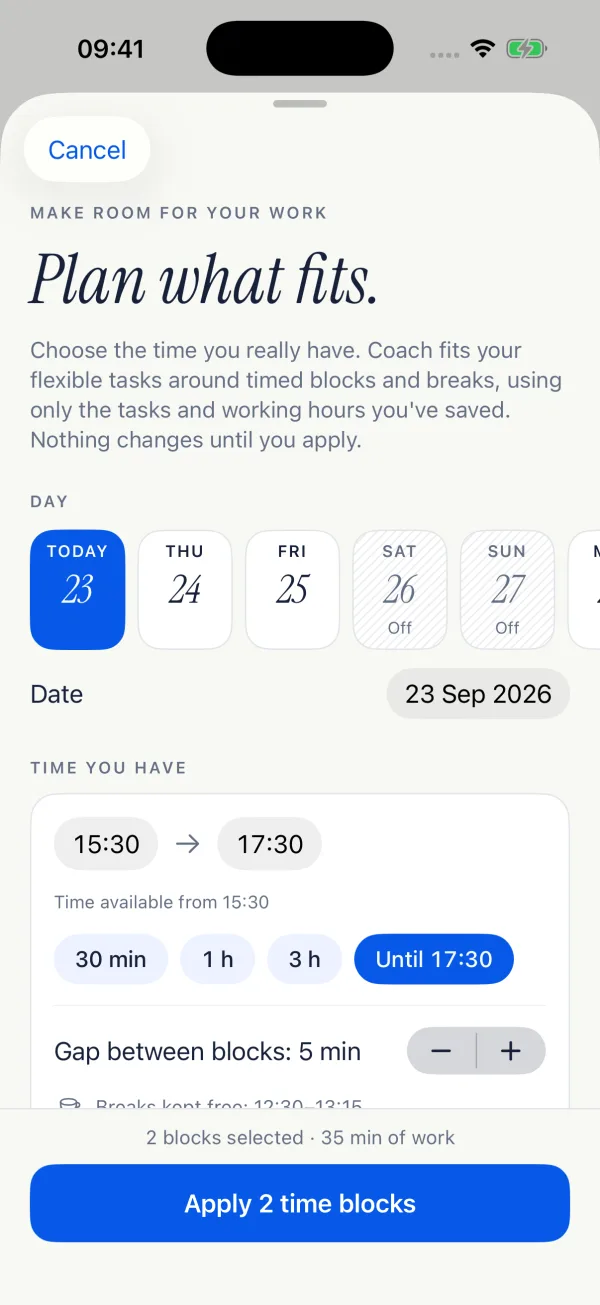
Coach fits your flexible tasks around timed blocks, breaks and your working hours, and shows what won’t fit before the day does. Nothing changes until you apply.
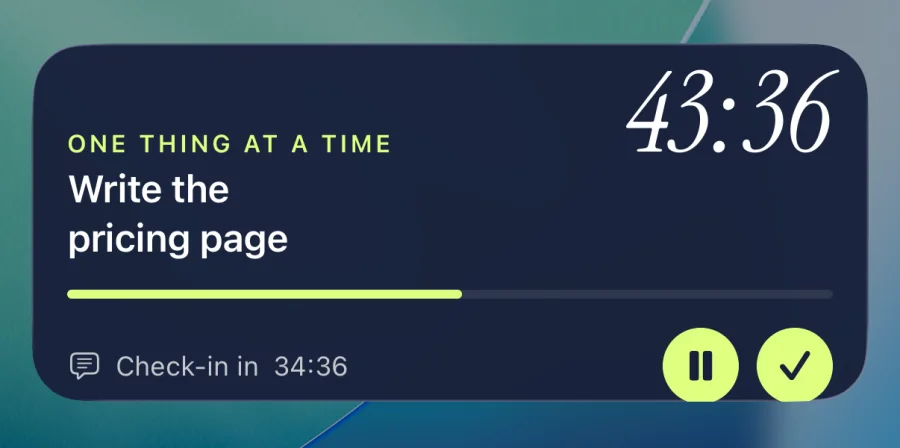
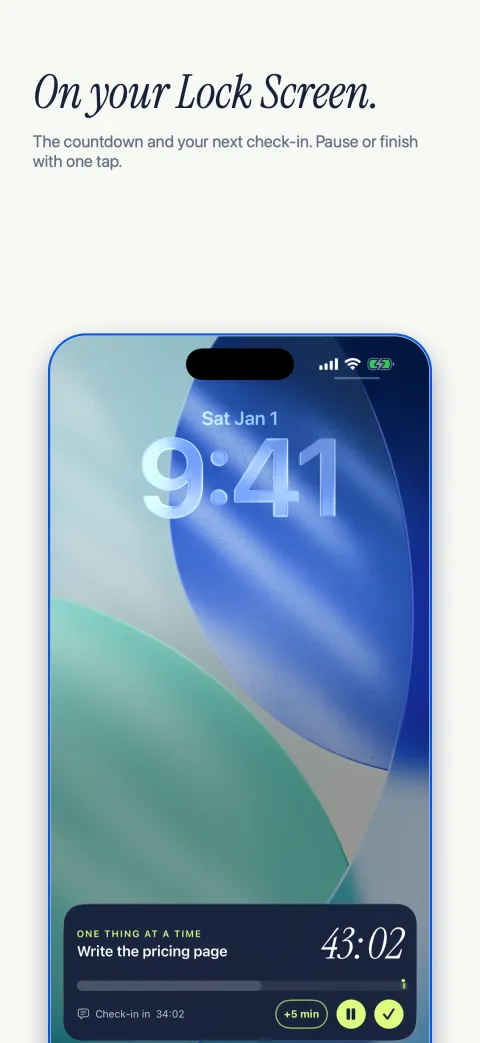
Start a block and the timer follows you to the Lock Screen. A quick check-in asks what you’re working on. At the end, Close the day gives every open task a place.
Inside Coach
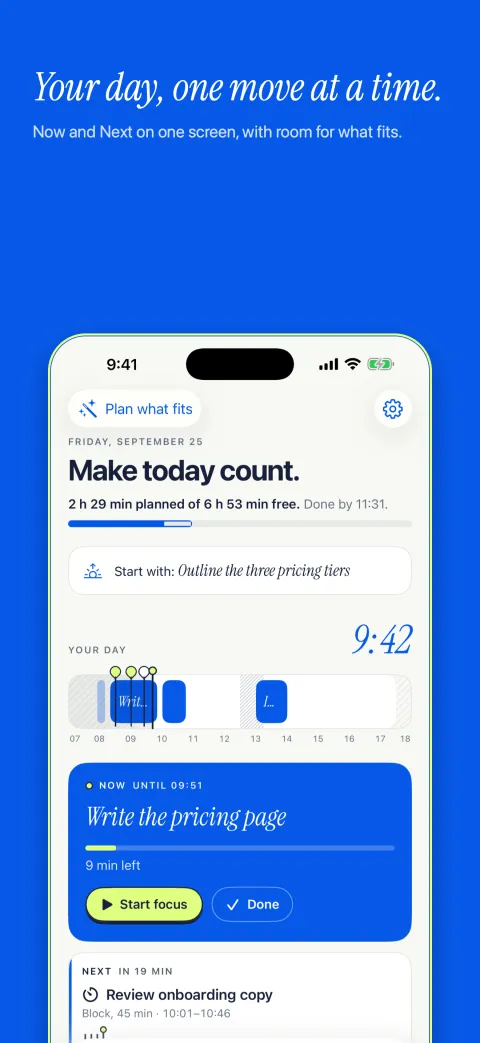
Today, the week, focus, check-ins, progress and the Lock Screen. These are the real screens from Coach for iPhone.
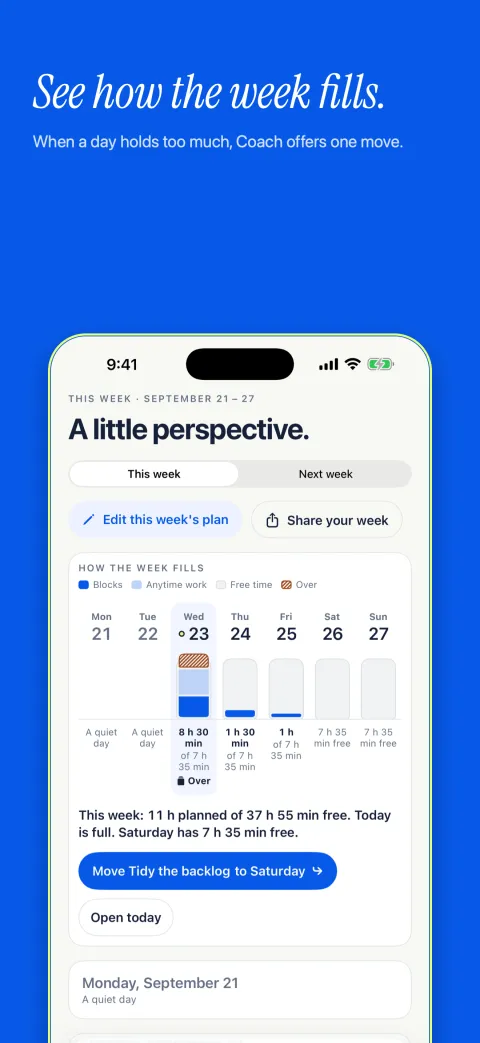
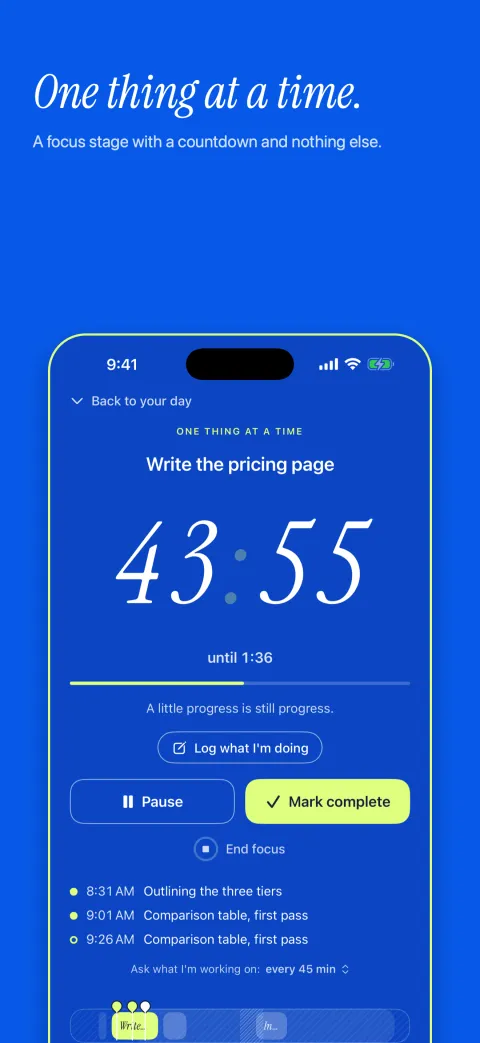
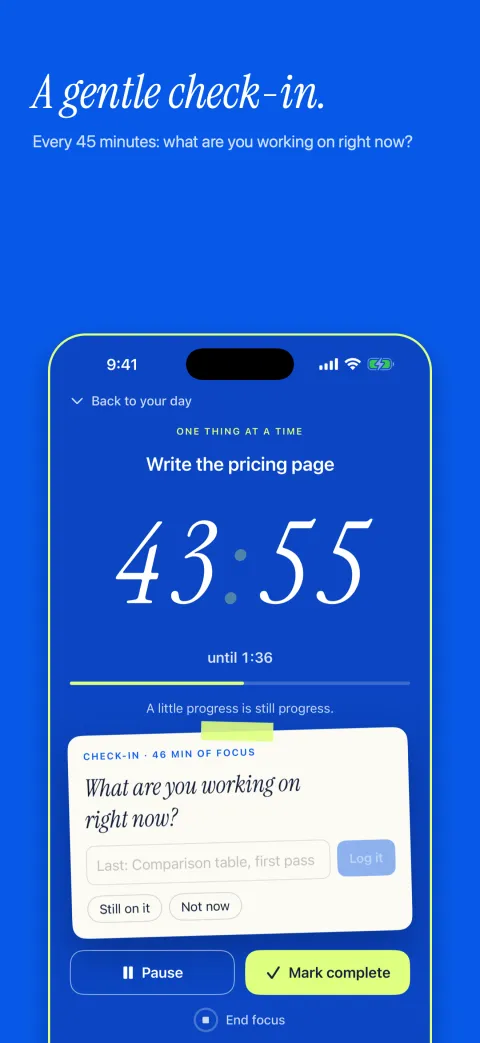
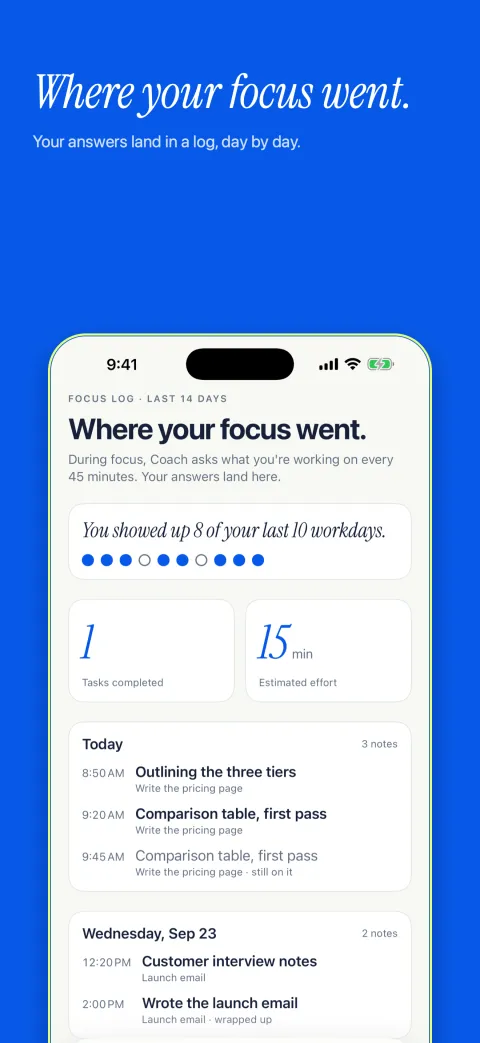
No red. No guilt.
A block that runs over is information, not a verdict. Rescue proposes a new plan for what’s left of today, and nothing changes until you apply it. Try it on this sample day.
Draft the launch email is still open from 11:00.
Draft the launch email was planned for 11:00 and it’s still open. That’s information, not a verdict.
Private by design
No sign-up, no login, no email address. Open Coach and start planning.
It’s saved on your iPhone. Sync with a Mac is optional and runs through your own iCloud, never a Coach server.
On iPhones with Apple Intelligence, the coach runs on the device itself. Your messages never leave it.
“Coach has no account and no server of its own. Your plan stays on your devices (and your own iCloud if you turn on sync), your coach conversations never leave this iPhone, and nothing is tracked.”
What Coach sends its developer
App Store privacy label: purchases only, not linked to you
Pricing
Day planning, your week and a focus timer are free in your browser. Choose Coach for iPhone for Lock Screen focus and on-device AI.
Open Coach free in your browserRecommended
€59.99 a year
7 days free, then €59.99 a year (€5.00 a month).
€9.99 a month
Billed every month. The free week comes with the yearly plan.
One price for Coach on iPhone. Cancel anytime in Settings. Prices are shown in euros; the App Store shows the price for your country. Payment is charged to your Apple Account when you confirm the purchase, or when the free week ends. The subscription renews automatically unless you cancel at least 24 hours before the current period ends.
Coach in your browser is free. Coach for iPhone is €59.99 a year with a 7-day free trial, or €9.99 a month. One subscription for Coach on iPhone, with no add-ons or per-feature charges. The App Store shows the price for your country.
No payment details are needed for the free browser app. For the iPhone subscription, Apple asks for a payment method on your Apple Account to start the free week. You’re not charged until the trial ends, Coach reminds you 2 days before it does, and you can cancel any time before then in Settings.
No. There’s no sign-up and no login. Your plan is created and stored on your device the moment you open Coach.
Nowhere, by default. There’s no Coach server, no tracking and no ads. Subscriptions are billed by Apple, and RevenueCat keeps track of your subscription status under a random ID, never your name, email or plan. Sync is optional and off until you turn it on; then your plan is kept in your own iCloud account, not Coach’s.
No. On iPhones that support Apple Intelligence, the coach runs on the device itself, so your messages never leave your iPhone. On other iPhones the coach is unavailable, and Coach never swaps in a cloud AI.
Nothing is marked missed. Rescue the rest of today proposes a new plan for what’s left, and nothing changes until you apply it. Close the day gives every open task a place: tomorrow, later or done. Your consistency shows as dots, not a streak that can break.
Yes. Open Coach free in your browser and add it to your Dock for a separate app window. A local Mac app with menu bar controls and quick capture is also in private beta. Browser plans stay in that browser; the local Mac app can sync with iPhone through your iCloud Drive.
Only if you turn on Show my calendars. Then Coach reads the calendars you pick on your iPhone and shows their events as meetings, read-only, so your plan fits around them. Events are never saved in your plan, synced or given to the coach. Coach doesn’t access your contacts, location or photos.
Free in your browser · Ready offline · No account needed